This guide explains how to mirror an existing personal or public GitHub repository to Oracle Cloud Infrastructure (OCI) Code Repositories. This setup is useful for running Terraform or Helm deployments and using the repository’s content within OCI DevOps build and deployment pipelines.
Creating Vault, Secret, Github PAT and OCI Devops Project External Connections
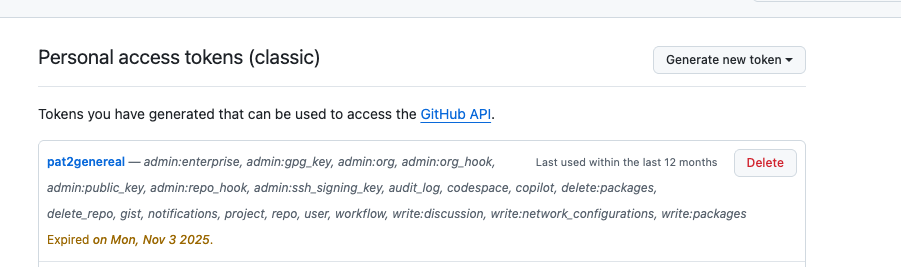
Github PAT Token
Go to your github profile, setting->tokens and there is option to generate new pat token.

Create Vault and Secret in OCI
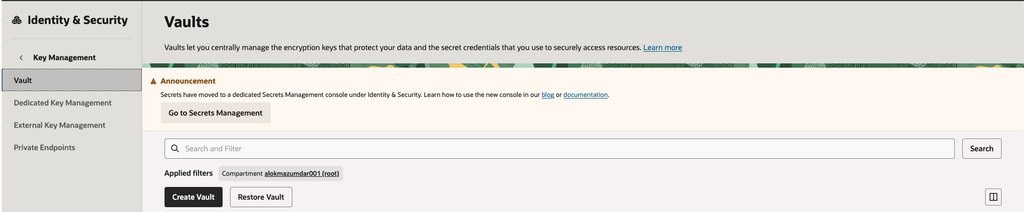
Create an OCI Vault in the appropriate compartment. Although you can create it in the root compartment, using a dedicated compartment is recommended for better organization and access control.
Next, create a 256-bit AES master encryption key with HSM protection. Finally, create the secret in the vault and select this key to encrypt it.
Vault as of 2026 present inside Key Management
Secrets as of 2026 is located in dedicated Secret Management. Copy the github PAT token, template should be plain text and save the secret
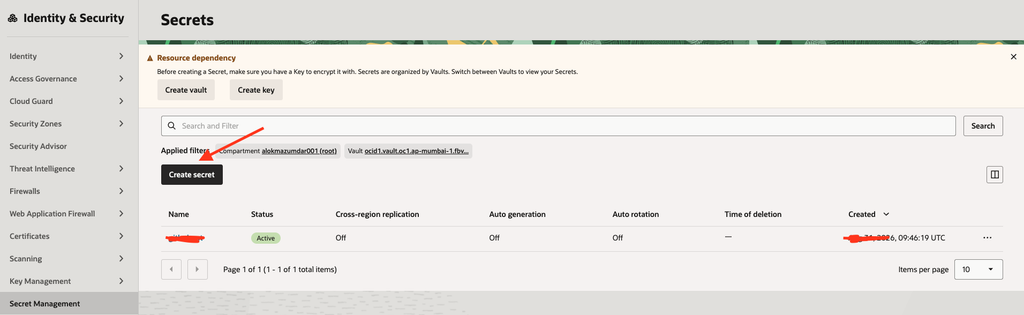
To know more follow the official blog Create Secret and Vault in OCI
Setting up External Connections in OCI
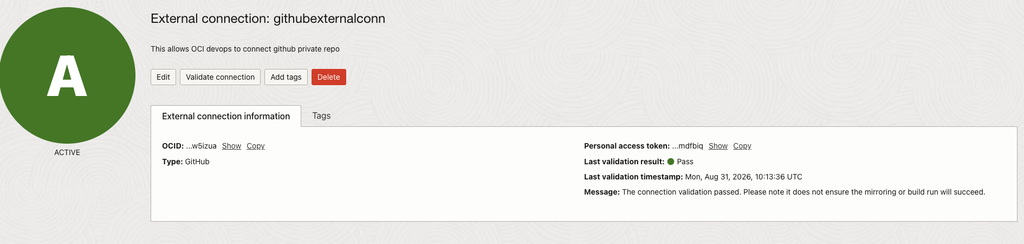
Create a new OCI DevOps project, or use an existing one, under Developer Services. Within the project, navigate to External Connections and create a connection to the external repository.
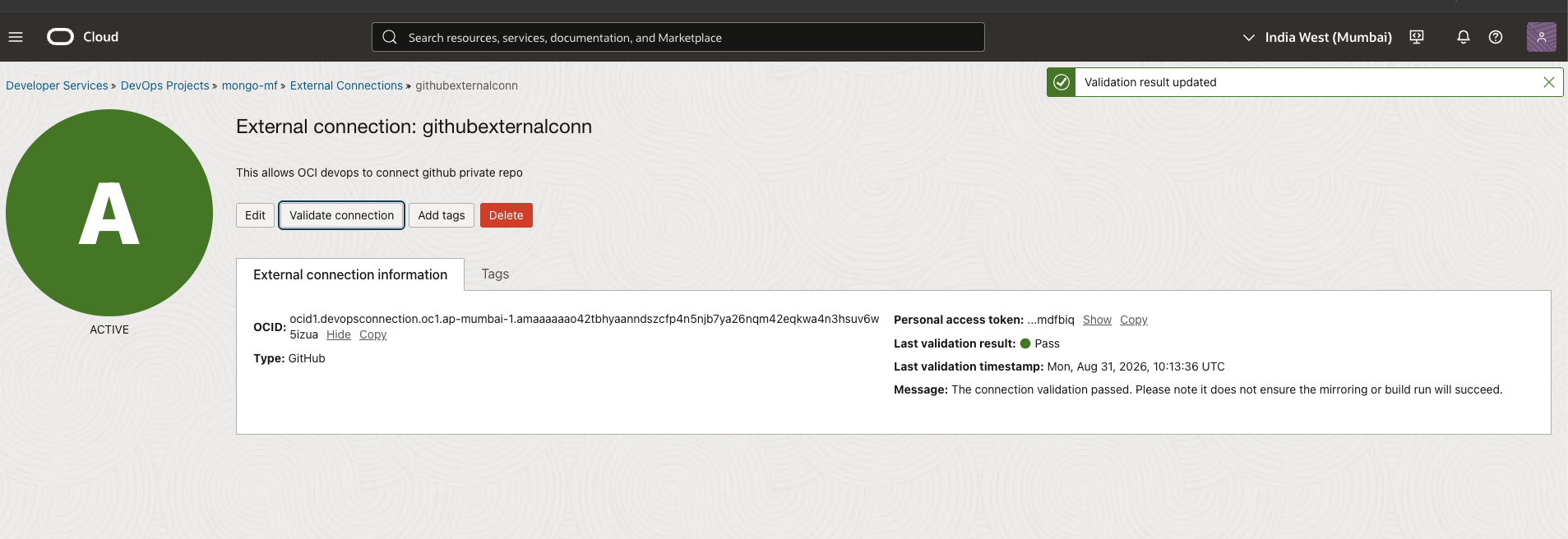
For this use case, select GitHub, choose the appropriate vault and secret, and complete the connection setup. The selected secret must contain a valid GitHub Personal Access Token (PAT). Please note we need to get the policies created to be able to validate the connection and ensure connection works to mirror repositories.

OCI Policies
Creating Dynamic Group and Matching Rule
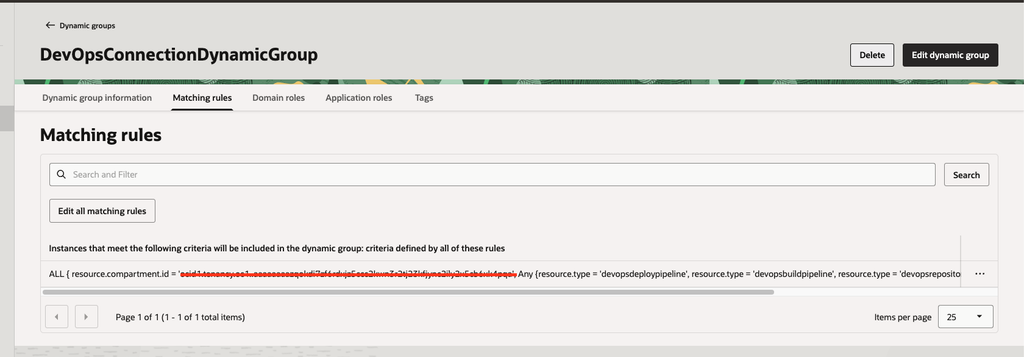
In the OCI Console, navigate to Identity & Security → Domains, select the appropriate identity domain, and then open Dynamic Groups. Create a new dynamic group and add the following matching rule:
ALL { resource.compartment.id = 'ocid1.tenancy.oc1.....', ANY { resource.type = 'devopsdeploypipeline', resource.type = 'devopsbuildpipeline', resource.type = 'devopsrepository', resource.type = 'devopsconnection', resource.type = 'devopstrigger' } }A dynamic group gives these DevOps resources a shared identity, known as a resource principal. IAM policies can then grant permissions to the dynamic group instead of defining access separately for every pipeline, repository, connection, or trigger. This makes access management simpler and allows newly created resources that match the rule to receive the required permissions automatically.
Note: Replace the OCID in the rule with the OCID of the compartment containing your OCI DevOps resources. If the resources are in the root compartment, the tenancy OCID is used.
Creating Policies
Create the following policies for the dynamic group:
Allow dynamic-group DevOpsConnectionDynamicGroup to read secret-family in tenancy
Allow dynamic-group DevOpsConnectionDynamicGroup to read devops-family in tenancy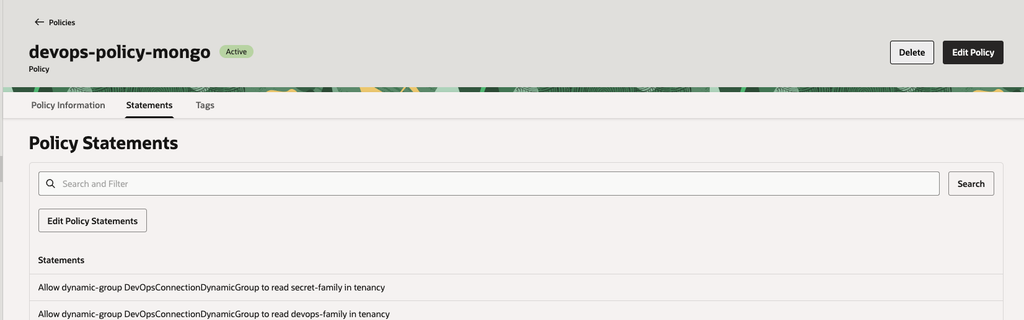
These policies allow OCI DevOps to retrieve the GitHub PAT from Vault and access the required DevOps resources. Without them, the external connection and repository mirroring will not work.
Validating External Connection
After creating the required policies, validate the external connection to confirm that OCI can authenticate with GitHub. The connection must show a Valid status before repository mirroring can work.
Code Repositories Mirroring
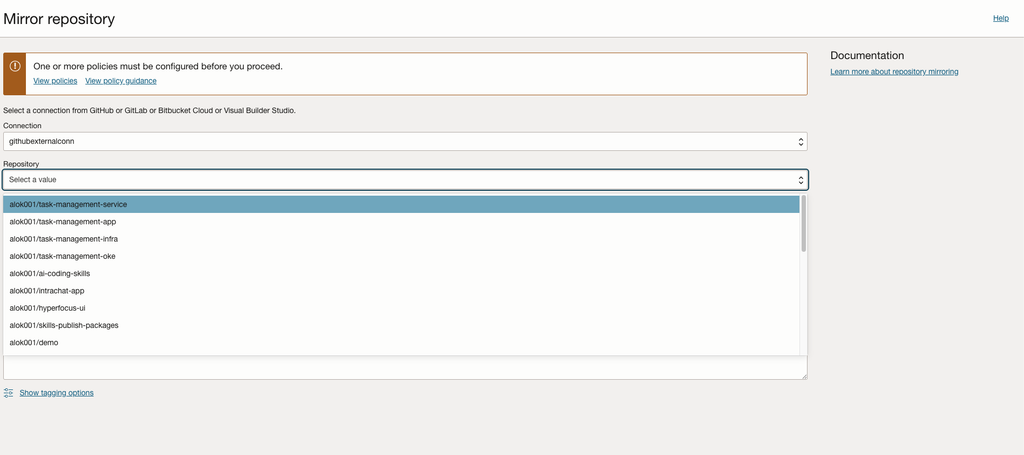
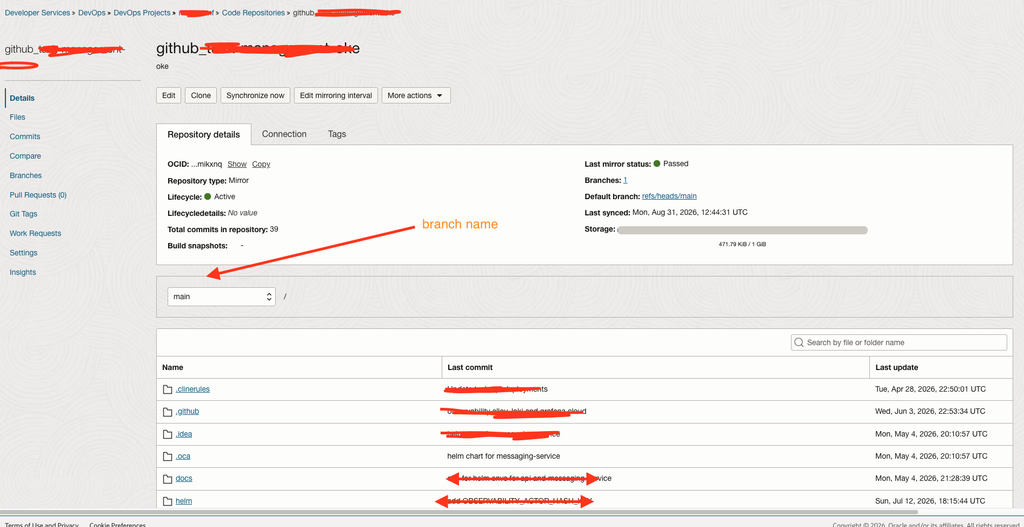
Navigate to Code Repositories in the OCI DevOps project and select the option to mirror an external repository. Choose the validated external connection, and OCI will automatically display the available GitHub repositories. Select the repository you want to mirror and complete the setup. Once the setup is successful, mirroring will sync the repo (default sync is 15 minutes) and you can see the entire codebase as cloned repo.
Final Thoughts
Repository mirroring keeps GitHub as the primary development repository while making the same source code available within OCI. This enables OCI DevOps pipelines to securely build and deploy Terraform configurations, Helm charts, and application code without manually copying files or maintaining a separate repository. As GitHub changes are synchronized, OCI pipelines always work with the latest version of the code.